.png)
HOW IT WORKS

Choose your Item
Once you have chosen your item, select the variables required for that item, such as shape and pack size.
View the images in the product page to see how your photo will appear on the final product.

Upload and Edit your Images
Once you have selected your images, they can be edited. You can crop, rotate the images, change from portrait to landscape, enhance the colour, sharpen or change the filter to grayscale.
Circle shaped products will have the option to circle crop.

Checkout
Proceed to the checkout where you can view your order and uploads.
Check you have uploaded the correct images as changes will not be accepted once the order is placed.
HOW TO USE THE EDITOR
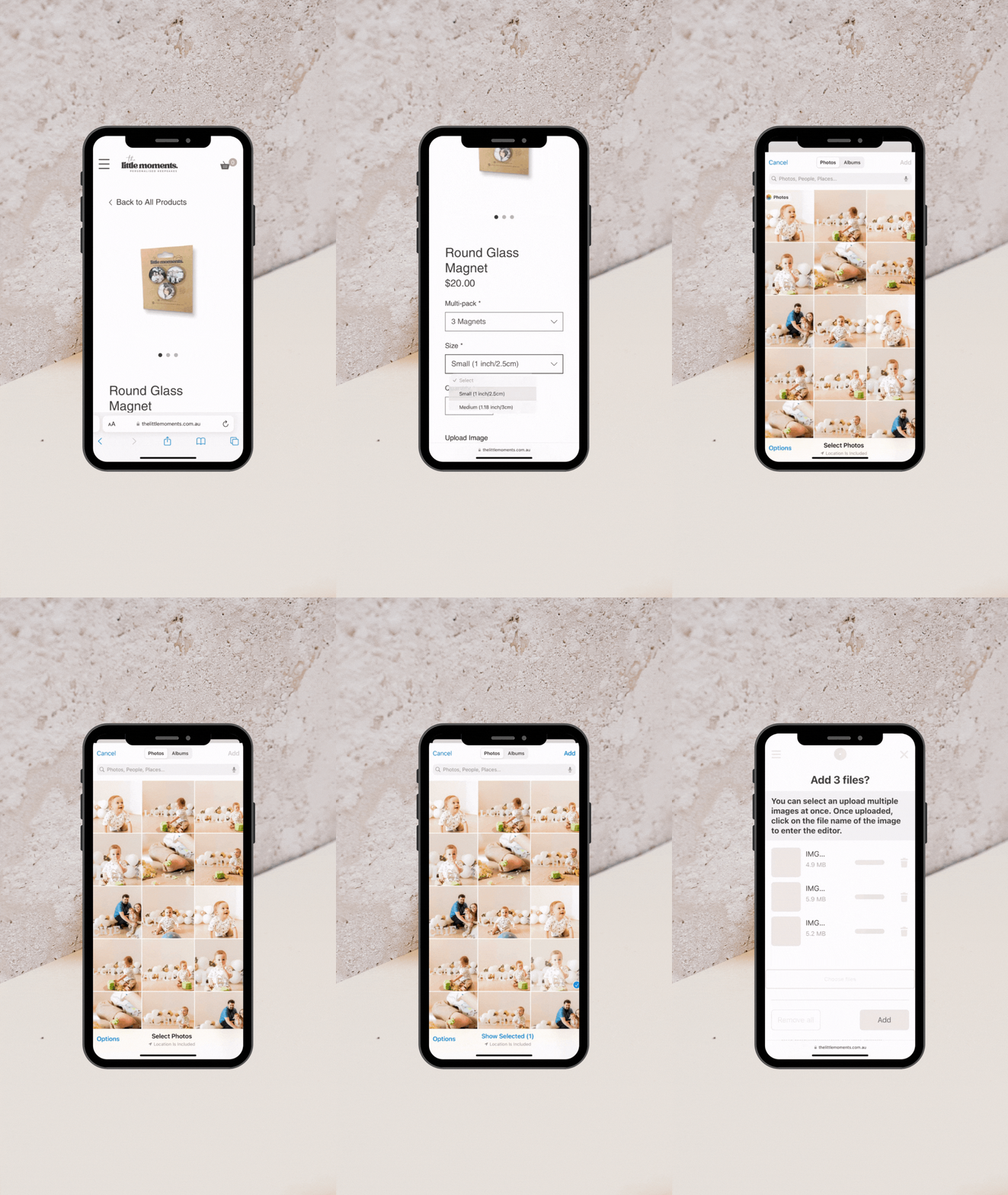
Image Upload
Ensure to upload the correct amount of images for each item quantity you have selected.
Uploading a Quality Image
To ensure you receive a high quality product, photos should be uploaded in high quality. Files should be a minimum of 2MB in size.
JPEG and PNG file types only.